Table of Contents
Need help with B2B bookings?
Chat with Us
Key Takeaways
- CRM increases repeat bookings by 40% through automated follow-ups and preference tracking
- The 6 must-have CRM features: lead tracking, booking history, follow-up reminders, client preferences, birthday/anniversary alerts, email templates
- Travel-specific CRMs (TravelJoy, Travefy) beat general CRMs for agencies with 50+ monthly bookings
- Automate the "forgettable" tasks: post-trip thank yous, review requests, visa renewal reminders
- Track these metrics: lead-to-booking conversion (target 20%+), response time (under 4 hours), repeat rate (30-50%)
- Integration with booking platforms eliminates double data entry and reduces errors
Here's a painful truth most travel agents won't admit: they're losing 30-40% of potential repeat business because they rely on memory and spreadsheets instead of a proper CRM. And if you're reading this, you probably suspect you're leaving money on the table too.
I've seen it play out dozens of times. An agent does fantastic work on a honeymoon to Bali—the couple raves about the trip. But 18 months later, when they're planning their anniversary getaway, they can't remember the agent's name. They Google "Bali travel agent" and book with someone else. The original agent never followed up. Never sent an anniversary reminder. Never stayed top of mind.
That's not a client loyalty problem. That's a systems problem. And it's exactly what a CRM solves.
But here's the thing—most CRM guides are written by software salespeople who've never booked a package tour in their lives. They talk about "sales pipelines" and "lead scoring" without explaining how any of that translates to travel. So let me fix that. This guide is written for travel agents, by people who understand travel. We'll cover the specific CRM features you actually need, the workflow that moves clients from inquiry to repeat booking, and how to choose between travel-specific and general CRM options.
No fluff. No corporate buzzwords. Just practical advice you can implement this week.
Why CRM Matters for Travel Agents (The Real Reasons)
Let's skip the generic "CRM helps you manage customer relationships" explanation. You already know that. Here's specifically why CRM transforms travel agency operations:
1. You Can't Remember Everything (And You Shouldn't Try)
How many clients do you have? 50? 200? 500? Now, can you remember that Mrs. Tan prefers aisle seats, her husband is vegetarian, they always want late checkout, and their anniversary is November 14th? Multiply that by every client. Your brain isn't designed to hold that information—but a CRM is.
2. The "Forgettable" Moments Are Where Money Hides
Post-trip thank you emails, anniversary reminders, passport expiry notices, "we noticed you haven't traveled in a while" messages—these aren't urgent. They slip through the cracks when you're busy quoting and booking. But they're the touchpoints that generate repeat business. CRM automates the stuff you'd forget.
3. New Inquiries Fall Through Cracks
A lead emails on Monday, you're busy with airport transfers. Tuesday you have back-to-back client calls. By Wednesday, you've forgotten about the email. By Thursday, they've booked elsewhere. CRM pipelines ensure every lead gets followed up—automatically if needed.
4. Staff Transitions Don't Mean Client Loss
What happens when your best agent leaves? If client relationships live in their head and personal notes, those clients go with them. With CRM, every interaction is logged. A new agent can pick up exactly where the previous one left off.
The 40% Repeat Booking Improvement
Travel agencies consistently using CRM see 38-42% more repeat bookings compared to those using spreadsheets or manual tracking. The improvement comes from three sources: (1) automated post-trip follow-ups that 75% of agents forget, (2) birthday/anniversary reminders that create natural booking opportunities, and (3) preference-based recommendations that feel personalized rather than salesy.
5. You Can Actually Measure What Works
Where do your best clients come from—referrals, Google, Instagram, or trade shows? Which destinations generate the most revenue? What's your quote-to-booking ratio? Without CRM, you're guessing. With CRM, you're making decisions based on actual data.
The 8 CRM Features Every Travel Agent Needs
Not all CRM features are created equal for travel. Here's what actually moves the needle:
1. Lead Tracking & Pipeline Management
Your CRM needs to show you every lead at every stage—inquiry received, quote sent, follow-up needed, booking confirmed, deposit paid. Visual pipelines (Kanban-style boards) work brilliantly for this. At a glance, you see what needs attention today.
- Must have: Drag-and-drop stage movement, automatic timestamps
- Nice to have: Lead scoring based on budget or travel dates
2. Booking History & Trip Records
Every trip a client has taken with you—dates, destinations, hotels, tours, what they loved, what they complained about. When they call asking for "something like that Phuket trip two years ago," you pull it up in seconds.
- Must have: Searchable trip history, attached documents (confirmations, itineraries)
- Nice to have: Revenue tracking per client over time
3. Follow-Up Reminders & Task Management
The backbone of CRM for travel. "Follow up with Mr. Lee if no response in 48 hours." "Remind Mrs. Wong about visa expiry 6 months before her passport runs out." "Send anniversary message 4 weeks before November 14th." These reminders should auto-populate your daily task list.
4. Client Preference Profiles
Beyond basic contact info, you need travel-specific fields:
- Passport details and expiry dates
- Seating preferences (window/aisle), meal requirements
- Hotel preferences (king bed, high floor, quiet room)
- Travel style (luxury, adventure, budget, family)
- Medical conditions or mobility needs
- Past destinations visited (to avoid repeating recommendations)
- Preferred communication channel (email, WhatsApp, phone)
5. Birthday & Anniversary Reminders
Automatic alerts 4-6 weeks before significant dates. Not just to send greetings—but to suggest trip ideas. "Your 25th anniversary is coming up. How about the Maldives?" This one feature alone can generate 10-20% of annual bookings for some agents.
Pro Tip: Capture Anniversaries at Booking
Add "Wedding anniversary date" as a standard field in your booking form. Couples are happy to share it when they're booking honeymoons or anniversary trips—and you've just created a perpetual marketing opportunity.
6. Email Templates & Sequences
Pre-written emails for common scenarios: quote follow-ups, booking confirmations, pre-departure checklists, post-trip thank yous, review requests. You personalize the key details; the CRM handles the rest. Even better: automated sequences that send these without you touching them.
7. Document Storage
Attach files to client records—passport copies, visa applications, itineraries, receipts, travel insurance. When a client calls saying "I can't find my hotel confirmation," you find it in three clicks.
8. Mobile Access
You're not always at your desk. Client calls from the airport with an emergency? You need to pull up their booking on your phone. A proper CRM has a mobile app or responsive web interface—not just desktop software from 2005.
| Feature | Must-Have | Nice-to-Have |
|---|---|---|
| Lead Pipeline | Yes | Lead scoring |
| Booking History | Yes | Revenue analytics |
| Follow-up Reminders | Yes | AI-suggested timing |
| Client Preferences | Yes | Preference templates |
| Birthday/Anniversary | Yes | Auto-send greetings |
| Email Templates | Yes | Drip sequences |
| Document Storage | Yes | Cloud sync |
| Mobile Access | Yes | Offline mode |
| GDS Integration | No | Depends |
| Itinerary Builder | No | Travel-specific CRMs |
The Complete CRM Workflow: From Inquiry to Repeat Booking
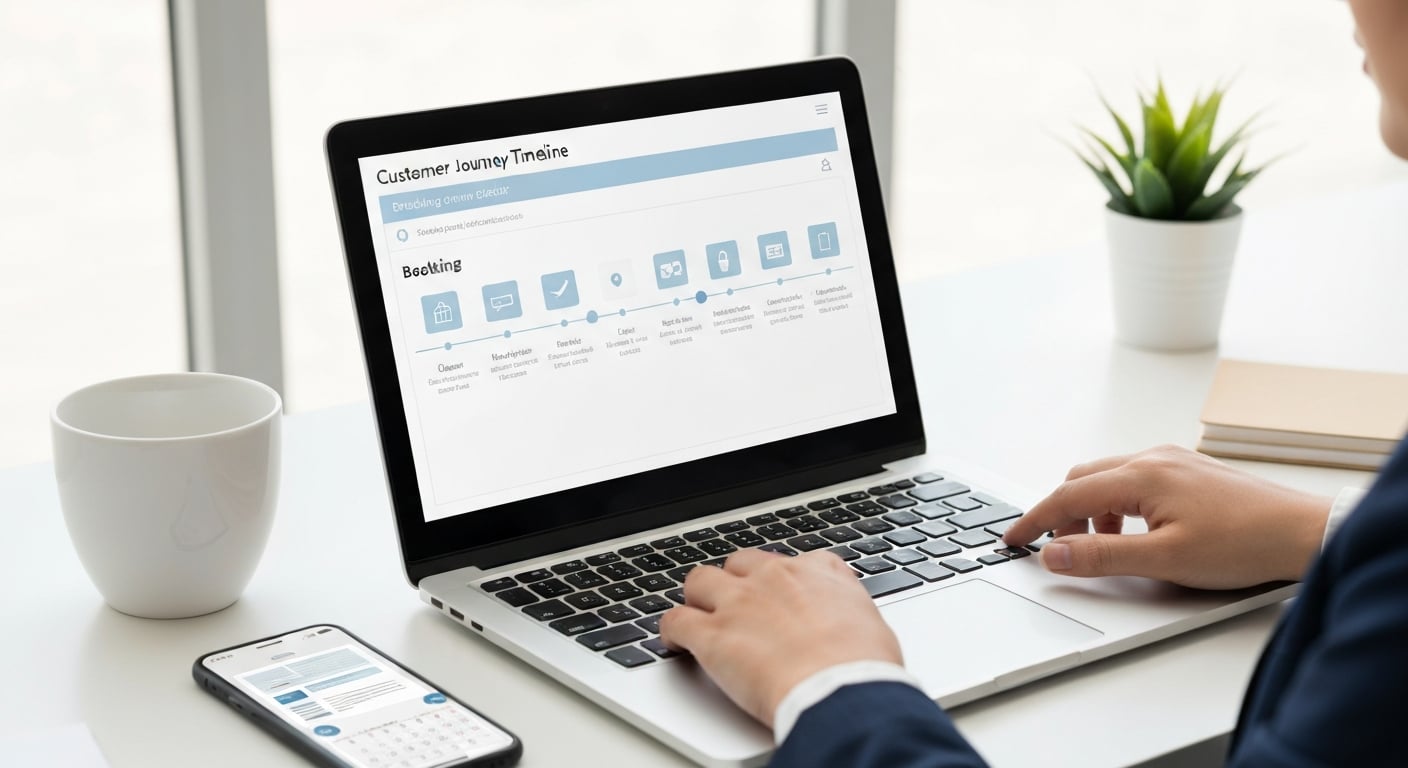
Understanding the stages of your client relationship helps you configure CRM to match your actual business. Here's the workflow that top-performing travel agents follow:
Stage 1 Lead Capture
Trigger: Inquiry arrives via website form, email, phone call, WhatsApp, referral, or walk-in.
CRM Action: Auto-create contact record with source tracking. Assign to agent based on destination specialty or rotation.
Key data to capture: Name, email, phone, travel dates (if mentioned), destination interest, budget range, how they found you.
Stage 2 Qualification
Trigger: Initial conversation with client.
CRM Action: Update record with detailed requirements. Tag with client type (honeymoon, family, corporate, luxury, budget). Note special requests.
Key data to capture: Exact travel dates, number of travelers, accommodation preferences, must-see attractions, dietary needs, budget confirmation.
Stage 3 Proposal / Quote
Trigger: Client requirements confirmed.
CRM Action: Attach quote document to record. Set follow-up reminder for 48-72 hours if no response. Track if quote email was opened (if CRM supports this).
Key data to capture: Quote amount, quote version (if revised), included components, margin calculation.
Stage 4 Follow-Up
Trigger: No response within set timeframe (or CRM reminder fires).
CRM Action: Send follow-up email from template. If automated, CRM can send without agent action. Log response or update status to "No Response."
Key data to capture: Number of follow-ups sent, objections raised, competitor quotes mentioned.
Stage 5 Booking Confirmed
Trigger: Client confirms booking and pays deposit.
CRM Action: Move lead to "Customer" status. Create booking record linked to contact. Set reminders for full payment, document collection, pre-departure briefing.
Key data to capture: Booking reference, supplier confirmations, payment amounts and dates, documents collected.
Stage 6 Pre-Trip
Trigger: 14-30 days before departure (configurable).
CRM Action: Auto-send pre-departure checklist (packing tips, visa reminders, weather forecast). Remind agent to confirm all supplier bookings. Send final itinerary.
Key data to capture: Flight details, hotel confirmations, emergency contact provided.
Stage 7 During Trip (Optional)
Trigger: Day 1 or mid-trip.
CRM Action: Optional check-in message ("Hope you're having a great time in Bali!"). Log any issues or requests that arise.
Key data to capture: Issues reported, additional services requested, supplier feedback.
Stage 8 Post-Trip
Trigger: 1-3 days after return date.
CRM Action: Auto-send thank you email. 5-7 days later, send review request (Google, TripAdvisor). Log any post-trip feedback.
Key data to capture: Review submitted (Y/N), feedback highlights, any issues to resolve.
Stage 9 Nurture
Trigger: Ongoing—birthday, anniversary, no booking in 12 months, new destination launch.
CRM Action: Send personalized messages based on preferences. "We noticed you enjoyed Thailand—have you considered Vietnam?" Anniversary reminders. Birthday greetings. New hotel openings in their favorite destinations.
Key data to capture: Engagement with nurture emails, updated preferences, inquiry triggers.
Stage 10 Repeat Booking
Trigger: Client returns to book again.
CRM Action: Pull up preferences instantly. Reference past trips. Offer loyalty perks if applicable. Link new booking to existing customer profile.
Key data to capture: Days since last booking, cumulative lifetime value, referrals generated.
The 40% Improvement Comes From Stages 8-10
Most agents do fine with stages 1-7—that's basic operations. But 75% of agents skip or half-do stages 8-10. That's where the repeat booking magic happens. CRM automation ensures these nurture stages happen without you remembering to do them.
Choosing the Right CRM: Travel-Specific vs General

This is where most agents overthink. Let me simplify: there's no "best" CRM—only the best CRM for your specific situation.
Travel-Specific CRMs
Purpose-built for travel agencies. They include itinerary builders, travel preference fields, supplier databases, and sometimes GDS integration out of the box.
| CRM | Best For | Price Range (SGD/month) | Standout Feature |
|---|---|---|---|
| TravelJoy | Luxury/custom travel agents | $40-80 | Beautiful itinerary presentations |
| Travefy | Tour operators, group travel | $30-60 | Collaborative itinerary building |
| ClientBase | Traditional agencies, consortia | $50-100 | GDS integration |
| Travel Agent CMS | Small agencies, startups | $20-40 | Affordable simplicity |
| Travelogix | Mid-size agencies, data-focused | $80-150 | Advanced reporting/BI |
General CRMs (Customizable for Travel)
Not built for travel, but highly flexible. Require setup time to add travel-specific fields, but often more powerful and sometimes cheaper.
| CRM | Best For | Price Range (SGD/month) | Standout Feature |
|---|---|---|---|
| HubSpot CRM | Agencies with strong marketing | Free - $60+ | Marketing automation + free tier |
| Zoho CRM | Budget-conscious, flexible | Free - $35 | Extreme customization |
| Pipedrive | Sales-focused teams | $20-50 | Visual pipelines |
| Monday.com | Team collaboration focus | $30-60 | Project management + CRM |
| Salesforce | Enterprise, complex needs | $100-200+ | Unlimited scalability |
Decision Framework
Choose a travel-specific CRM if:
- You handle 50+ bookings per month
- You need itinerary presentation tools
- You want minimal setup—out-of-the-box travel fields
- GDS or booking system integration is important
Choose a general CRM if:
- You're a smaller operation (under 50 bookings/month)
- Budget is tight (free tiers available)
- You already use other tools in the same ecosystem (e.g., Zoho Mail → Zoho CRM)
- You're comfortable with customization
Warning: Avoid Over-Engineering
I've seen agents spend 3 months evaluating CRMs and customizing fields to perfection—then never actually use it. Start simple. Any CRM is better than spreadsheets. You can always migrate or upgrade later.
CRM Automation Tips That Actually Work
Automation is where CRM pays for itself. Set up these sequences once, and they run forever:
1. Quote Follow-Up Sequence
When a quote is sent and no response received:
- Day 2: Gentle check-in ("Just making sure you received our quote...")
- Day 5: Add value ("Here are some reviews of the hotel we recommended...")
- Day 10: Limited-time nudge ("Rates are valid until [date]...")
- Day 21: Final attempt with alternative ("If timing isn't right, we can hold these rates for your next available dates...")
2. Post-Trip Thank You & Review Request
- Day 1 after return: Thank you email with "hope you had a great time"
- Day 5: Review request ("Your feedback helps other travelers—leave us a Google review")
- Day 14: Referral ask ("Know anyone planning a similar trip?")
3. Payment Reminders
- 14 days before balance due: Friendly reminder with payment options
- 7 days before: Firmer reminder
- 3 days before: Final notice with booking cancellation warning
4. Anniversary & Birthday Sequences
- 6 weeks before: Destination inspiration ("Perfect for your anniversary...")
- 4 weeks before: Specific package offer
- On the date: Personal greeting (no sales pitch—just genuine wishes)
5. Re-Engagement for Dormant Clients
- 6 months since last booking: "We miss you" with new destination ideas
- 12 months: Special "loyalty" offer or discount
- 18 months: Final attempt before marking as inactive
The 80/20 Rule of CRM Automation
80% of your automation value comes from 3 sequences: (1) Quote follow-ups, (2) Post-trip thank yous, and (3) Anniversary reminders. Get these three working before adding anything else.
Integrating CRM with Your Booking Platform

The real power of CRM emerges when it connects to your other systems. No more double data entry. No more "I updated the spreadsheet but forgot the CRM."
Key Integration Points
Email Integration
Connect Gmail/Outlook so every client email is automatically logged to their CRM record. Reply from CRM with full email history visible. Most modern CRMs offer this natively or via simple plugin.
Calendar Sync
CRM tasks and follow-up reminders appear in your Google/Outlook calendar. Meetings scheduled in calendar create activity logs in CRM. Never miss a follow-up because it was "in the other system."
WhatsApp Integration
Many agents communicate primarily via WhatsApp. Tools like WhatsApp Business API or integrations like Respond.io can log WhatsApp conversations to CRM. Essential for Asia-Pacific markets.
Website Form Capture
Inquiry forms on your website should auto-create CRM leads. Most CRMs offer embeddable forms or Zapier integrations. Lead arrives in your pipeline the moment client hits "Submit."
Accounting/Invoicing
Connect to Xero, QuickBooks, or your invoicing software. When booking is confirmed, invoice auto-generates. Payment received in accounting = status updated in CRM.
Booking Platform / DMC Portal
If you use B2B platforms like DMC Quote, check if API or export features can sync booking data to your CRM. This eliminates manual entry of supplier confirmations.
Integration Methods (From Simple to Advanced)
- Manual export/import: Export CSV from one system, import to another. Works, but tedious.
- Zapier/Make (Integromat): No-code automation that connects 5,000+ apps. "When new booking in system A, create record in CRM B."
- Native integrations: CRMs like HubSpot, Zoho have built-in connectors for common tools.
- API custom development: For complex needs, hire a developer to build direct integrations via APIs.
Measuring CRM Success: The Metrics That Matter
If you're not measuring, you're guessing. Here are the KPIs that actually indicate whether your CRM is working:
Lead-to-Booking Conversion Rate
How many inquiries become paying customers
Formula: (Bookings ÷ Leads) × 100
Target: 15-25% for B2C, 30-40% for B2B referrals
Average Response Time
Time from inquiry to first agent response
Formula: Average minutes/hours to respond
Target: Under 4 hours (under 1 hour = competitive advantage)
Repeat Booking Rate
Percentage of customers who book again
Formula: (Repeat customers ÷ Total customers) × 100
Target: 30-50% annually
Customer Lifetime Value (CLV)
Total revenue per client over time
Formula: Avg booking value × Avg bookings per year × Avg years as customer
Target: Increasing year-over-year
Lead Source ROI
Which channels generate profitable leads
Formula: Revenue per source ÷ Cost per source
Target: Identify top 3 sources, double down
Quote-to-Booking Ratio
How many quotes convert to sales
Formula: (Bookings ÷ Quotes sent) × 100
Target: 25-40%
Monthly CRM Health Check
Schedule 30 minutes monthly to review:
- Are conversion rates improving or declining?
- Are there leads stuck in pipeline for too long? (Set alerts for leads idle 30+ days)
- Is data being entered consistently? (Check for empty required fields)
- Are automations firing? (Review sent emails, triggered tasks)
- What's the top lead source this month?
8 Common CRM Mistakes (And How to Avoid Them)
1 Not Using It Consistently
The biggest CRM killer. Agents use it enthusiastically for 2 weeks, then revert to old habits. Data becomes stale. Reports become meaningless.
Fix: Make CRM your first screen every morning. If it's not in CRM, it didn't happen.
2 Over-Complicating Setup
Adding 50 custom fields, 12 pipeline stages, complex automation workflows—before you've even used the basics.
Fix: Start with 5-6 essential fields. Add complexity only when you've outgrown simplicity.
3 No Clear Data Entry Standards
One agent writes "Singapore" another writes "SG" another writes "Spore." Reports become useless.
Fix: Use dropdowns instead of free-text for key fields. Create a 1-page data entry guide.
4 Ignoring Duplicate Records
Same client appears 3 times with slightly different info. Which one is correct? History split across records.
Fix: Run duplicate detection monthly. Most CRMs have merge tools. Establish "search before creating" rule.
5 Setting Up Automation Then Forgetting
Auto-emails running with outdated info, broken links, or wrong prices. Clients receive embarrassing messages.
Fix: Review automation content quarterly. Test sequences yourself. Check send logs for errors.
6 Not Logging Enough Context
Call notes say "Discussed trip." What trip? What was discussed? Six months later, useless.
Fix: Use structured note templates: Date, Discussed (topics), Action items, Next contact.
7 Treating CRM as Just Contact Storage
Using CRM like a glorified address book. Not leveraging pipelines, automation, or reporting.
Fix: Activate at least pipeline view and 1 automation sequence. That's the minimum for "actual" CRM usage.
8 No Mobile Discipline
Agent takes call, promises to follow up, but doesn't log it because they're away from desk.
Fix: Install CRM mobile app. Log basic notes immediately—detail later. Even "Call with Client X re: Bali" beats forgetting.
Frequently Asked Questions
A travel CRM (Customer Relationship Management) is software specifically designed to help travel agents manage client relationships, track bookings, store travel preferences, and automate follow-ups. Travel agents need a CRM because it centralizes client data, prevents leads from falling through cracks, automates repetitive tasks, and provides insights that drive repeat bookings. Agents using CRM report 40% higher repeat booking rates compared to those using spreadsheets or manual methods.
Travel CRM software ranges from free (basic tools with limitations) to SGD 50-200 per user per month for specialized travel CRMs. Entry-level options like HubSpot Free or Zoho CRM Free work for small agencies. Mid-range solutions like TravelJoy, Travefy, or ClientBase run SGD 30-80/month. Enterprise solutions like Salesforce Travel or Travelogix cost SGD 100-200+/month but include advanced automation, API integrations, and dedicated support.
Essential travel CRM features include: (1) Contact management with travel preference profiles, (2) Lead pipeline with stage tracking, (3) Booking history and past trip records, (4) Calendar integration with reminders for follow-ups, birthdays, and anniversaries, (5) Email templates and automated sequences, (6) Mobile access for on-the-go updates, (7) Document storage for passports, visas, and itineraries, and (8) Basic reporting on sales and conversion rates. Nice-to-haves include GDS/booking system integration, payment tracking, and commission management.
Yes, when properly implemented. The 40% improvement comes from three factors: (1) Automated follow-ups after trips that 75% of agents forget to send manually, (2) Birthday and anniversary reminders that create booking opportunities, and (3) Preference-based recommendations that feel personalized rather than generic. A study by Travel Weekly found that agents using CRM effectively see 38-42% more repeat business versus manual tracking. The key is consistent data entry and actually using the automation features.
Start by cleaning your existing data—remove duplicates, update contact info, and standardize formats. Export from your current system (spreadsheet, email, or old CRM) as a CSV file. Map fields to your new CRM's structure (e.g., "Name" to "Full Name", "Trip History" to "Notes"). Import in batches of 100-200 records to catch errors early. Run test searches to verify data imported correctly. Most CRMs offer import wizards or free migration support for new customers. Budget 1-2 weeks for a thorough migration.
The ideal CRM workflow: (1) Lead Capture - inquiry from website, call, or referral auto-creates contact, (2) Qualification - tag lead source, budget range, travel dates, and interests, (3) Proposal - send quote with tracking to see if client opens it, (4) Follow-up - automated reminders if no response in 48-72 hours, (5) Booking - convert to customer, log booking details, deposit paid, (6) Pre-trip - send documents, visa reminders, packing tips, (7) During trip - optional check-in, (8) Post-trip - automated thank you, review request, (9) Nurture - anniversary reminders, destination updates, (10) Repeat - use preferences for faster quoting on next trip.
It depends on your volume and complexity. Travel-specific CRMs (TravelJoy, Travefy, ClientBase) include itinerary builders, supplier databases, and travel-focused fields out of the box—ideal for dedicated travel businesses. General CRMs (HubSpot, Zoho, Pipedrive) are more flexible and often cheaper, but require customization to track travel-specific data like passport expiry, meal preferences, and booking references. If you're handling 50+ bookings monthly, a travel-specific CRM saves significant setup time. For smaller operations, a customized general CRM often suffices.
Key CRM metrics for travel agents include: (1) Lead-to-booking conversion rate (industry average: 15-25%), (2) Average response time to inquiries (target: under 4 hours), (3) Repeat booking rate (healthy agencies: 30-50%), (4) Customer lifetime value (total revenue per client over time), (5) Lead source ROI (which channels generate profitable bookings), (6) Quote-to-booking ratio (how many proposals convert), (7) Average booking value trends, and (8) Client satisfaction scores if you track post-trip feedback. Review monthly and adjust marketing and service based on data.
Ready to Transform Your Travel Business?
DMC Quote gives you B2B access to hotels, tours, and transfers at wholesale rates. Pair it with your CRM for a complete booking and client management system.
No credit card required. Free access to B2B travel rates.
Related Guides
FIT vs GIT Packages Guide
Understand the difference between Free Independent Traveler and Group Inclusive Tour packages to maximize your margins.
How to Get DMC Rates
Learn how travel agents can access wholesale DMC rates for hotels, tours, and transfers.
Viator Alternative for B2B Agents
Compare B2B booking platforms and find the right alternative for professional travel agents.
What is a DMC?
Complete guide to Destination Management Companies and how they support travel agents.
Need Help With B2B Travel?
Our team is ready to assist with bookings, platform access, and travel agent support.